Mind Your Allocations
I’ve been working on an EAV data model at work for a while. Some of you will say it’s a tried and tested idea, and that it’s stupid. Well I don’t care.
My goal essentially is to have one data model and have one set of primitive operations to CRUD my data, whatever it may be. It’s a complete waste of time to think of unique data models for all the different data I might have, when one would do. This data model doesn’t need to be EAV; it just happens to be a good candidate for my use case.
In case you don’t know what EAV is, it’s short for Entity-Attribute- Value. Entities and Attributes are integer IDs and together they uniquely identify every attribute of every entity. An entity could be anything: user, request, order, item in shopping cart, etc. The Value is the value of the Attribute. In this model the data abstraction (user has name and age, etc) is unimportant; what is important is that all the data is addressable and has values of known data types.
The nice thing about this data model is that the number of operations you can perform on the data is few. If you use a relational database to implement this model then the operations could be:
- Create new entities/attributes (INSERT)
- Get entities or specific attributes of entities (SELECT WHERE entity=? and attribute=?)
- Update attribute values (UPDATE WHERE entity=? AND attribute=?)
- Remove entities/attributes (DELETE WHERE entity=? AND attribute=?)
Now you might argue that you can already perform these operations on any data model. Yes. When using EAV all your data types (users, products, orders, etc) are represented exactly the same way in the database so that means after you’ve implemented these primitive operations ONCE you are able to reuse them for ALL your data types.
Creating an entity is just inserting one or more rows. Reading entities is just reading all rows with the same entity id. You get the idea. The same operations can be re-used for all entities and attributes irrespective of data type.
Anyway so I’m using SQLite to run my experiments and test out my ideas and during profiling I noticed that the performance wasn’t really what I expected. I wrote a simple test to see how many rows I can insert as quickly as possible.

About 200K insertions in 1.17s
From the screenshot above you can see I’m doing nearly 200K row inserts in 1.17 seconds. This result didn’t line up with my earlier experiments with SQLite so I thought I’d dig in and try to find out what’s going on. But first I need to briefly explain what the table looks like and how I’m inserting rows.
The table has the following columns:
- entity id
- attribute id
- int value
- float value
- blob value
- text value
I allow only four types of data for any attribute and store them in their own columns. Keeping them in separate columns allows us to index each data type separately.
I’m using Go. Its standard library includes the sql package which is an
excellent package for my purposes. This package’s API enables us to
prepare SQL statements before they’re executed. This is an easy
optimisation to take advantage of if you know a specific type of query
will be called multiple times, which is exactly our case here.
Here’s what the code looks like for executing my statements:
insertStmt := db.Prepare(`INSERT INTO table (
    entity_id, attribute_id,
    value_int, value_float, value_text, value_blob
) VALUES (
    :entity_id, :attr_id,
    :i64, :f64, :txt, :raw
)`)

insertStmt.Exec(
    sql.Named("entity_id", entityID),
    sql.Named("attr_id", attrID),
    sql.Named("i64", i64),
    sql.Named("f64", f64),
    sql.Named("txt", txt),
    sql.Named("raw", raw),
)
The code above is for illustration only; the insert statement is prepared much earlier, and elsewhere, before it is executed.
If you’ve used SQLite then you know it’s just a file and you can’t simply insert ~200K rows into it in 1.17s. To achieve that I batch all my insert, delete, and update operations. This way I can execute multiple queries in one big transaction, which is a lot faster than executing them serially.
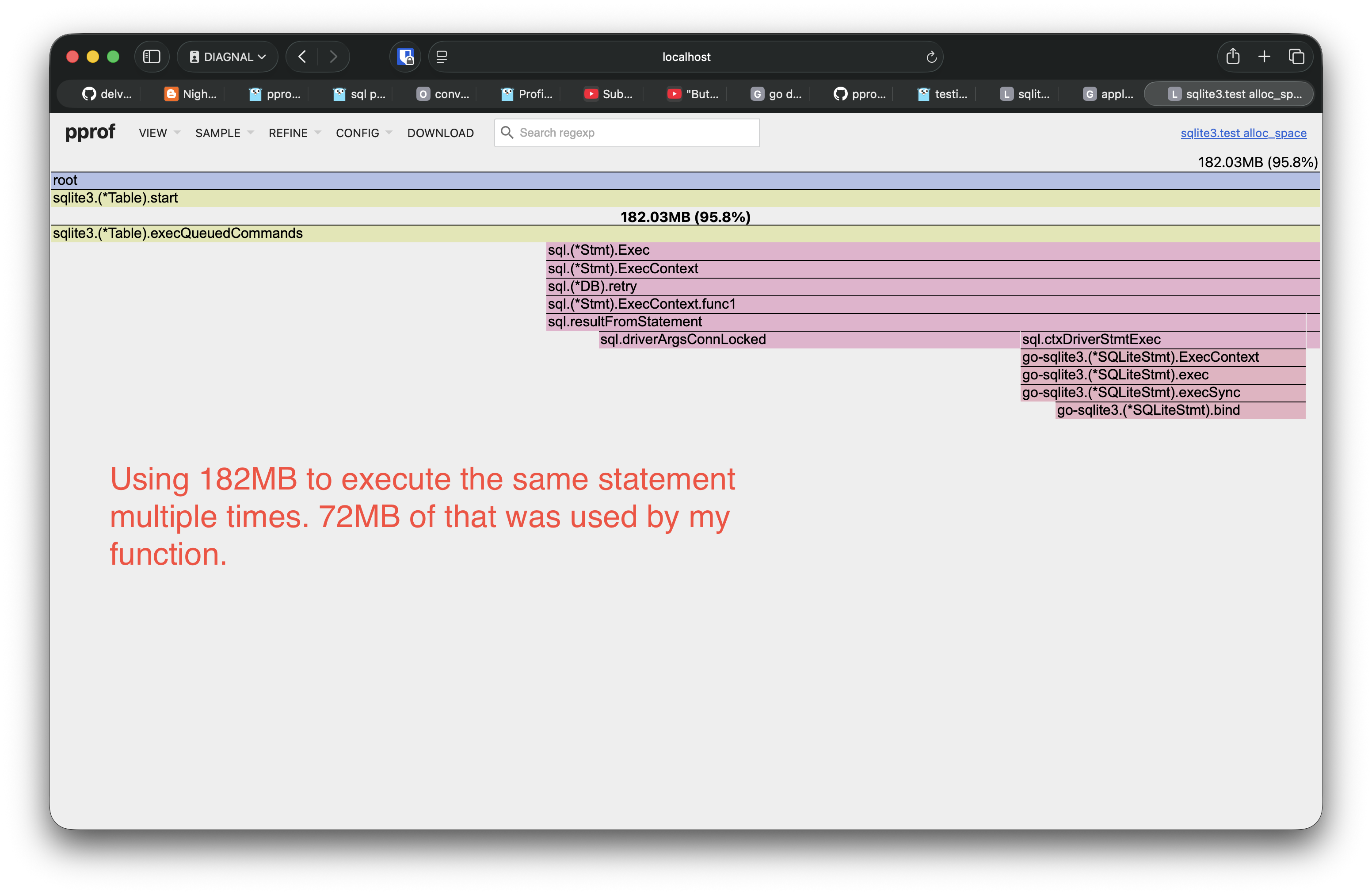
That’s 72MB too many
In the screenshot above the yellowish-green bars are my code and the pink
bars just below them are Go’s sql package. When inserting those ~200K
rows we used about 182MB of memory. This memory was spent in executing
the insert statement. Out of that 182MB, 72MB were used by my function
and the rest by the sql package.
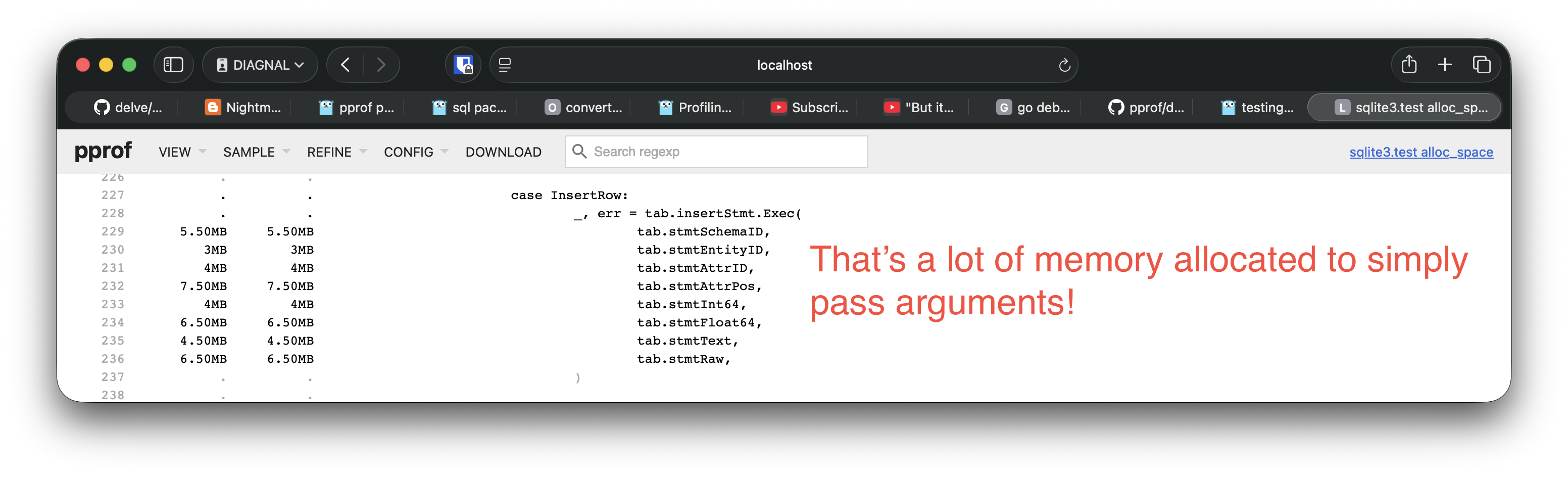
Don’t mind the fact that the code in the screenshot doesn’t look exactly like the code example above.
So what’s going? The Exec function has the following signature:
func (stmt *Stmt) Exec(args ...any)
Since we’re passing in structs, they’re copied. That’s where the memory
allocations come from. Now look at how the Go runtime implements any.
This is from the Go source code.
// EmptyInterface describes the layout of a "interface{}" or a "any."
// These are represented differently than non-empty interface, as the first
// word always points to an abi.Type.
type EmptyInterface struct {
	Type *Type
	Data unsafe.Pointer
}
It’s just a fat pointer. The Type field is the type information of the
data. The runtime uses this to run checks and find interface methods for
example. The Data field points to the actual data in memory. This data
can be a struct, int, anything.
Wait so if the any type stores a pointer to our data can’t we just do
that instead of the runtime making a copy? Yes. Here’s what I did:
insertStmt := db.Prepare(`INSERT INTO table (
    entity_id, attribute_id,
    value_int, value_float, value_text, value_blob
) VALUES (
    ?, ?,
    ?, ?, ?, ?
)`)

insertStmt.Exec(
    &entityID, &attrID,
    &i64, &f64, &txt, raw,
)
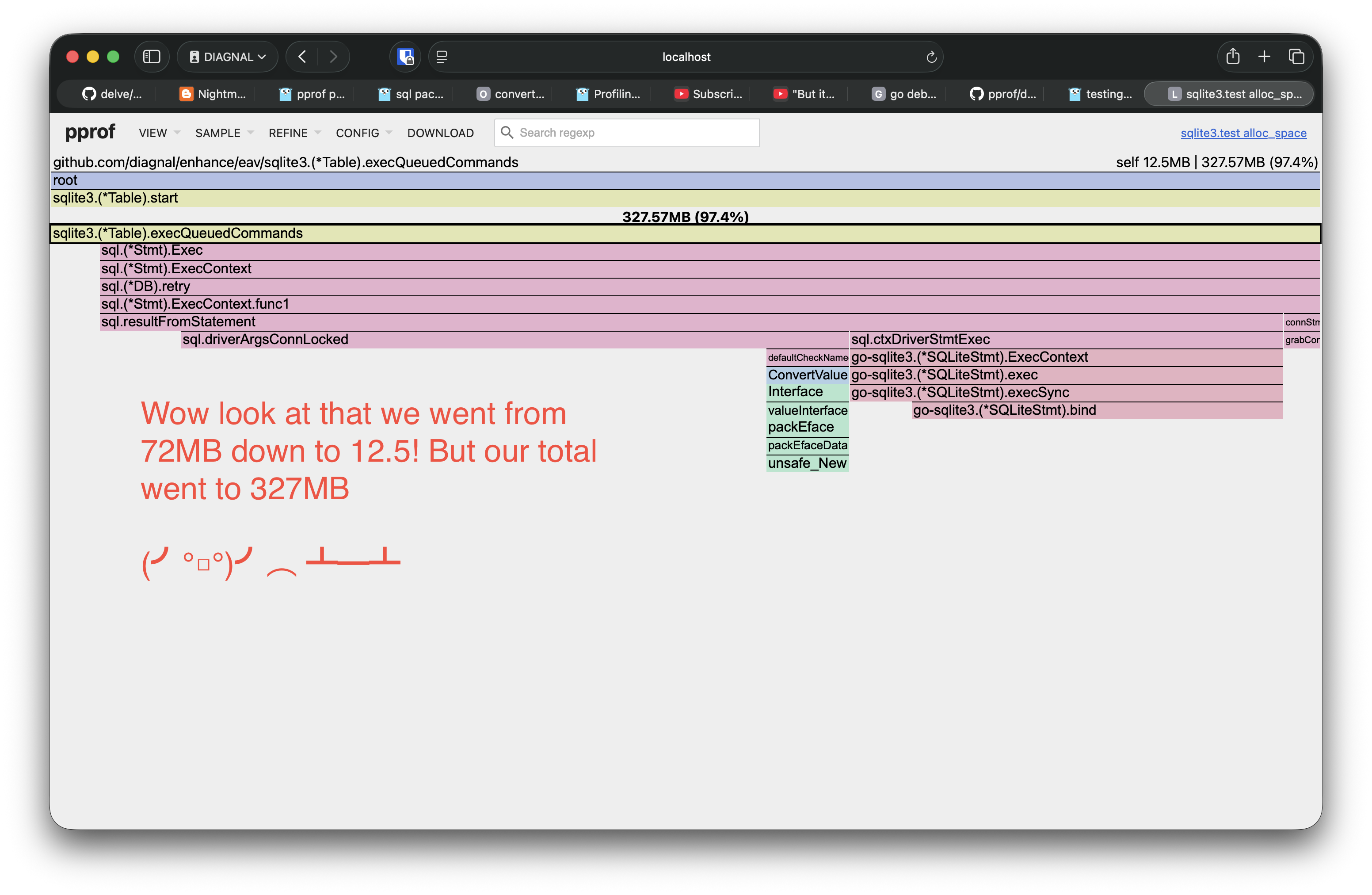
Wait why are we using 327MB now?!
Our function is using much less memory but the sql package is using
more… What’s going on?

Let that sink in
Running our benchmark again we see that we’ve gone from writing ~200K rows to writing ~500K rows to the database. In the same amount of time. The lesson here is that the CPU can spend more time running your code and doing what you want if it’s not spending that time allocating memory.
Thank you for reading so far. Once again, the contents of this website is fictional. Take care.